What Is a Self-Guided Tour? An Operational Field Guide for Tourism Teams
- Andrew Applebaum

- Aug 7, 2025
- 6 min read
By Andrew Applebaum, Digital Tourism Expert
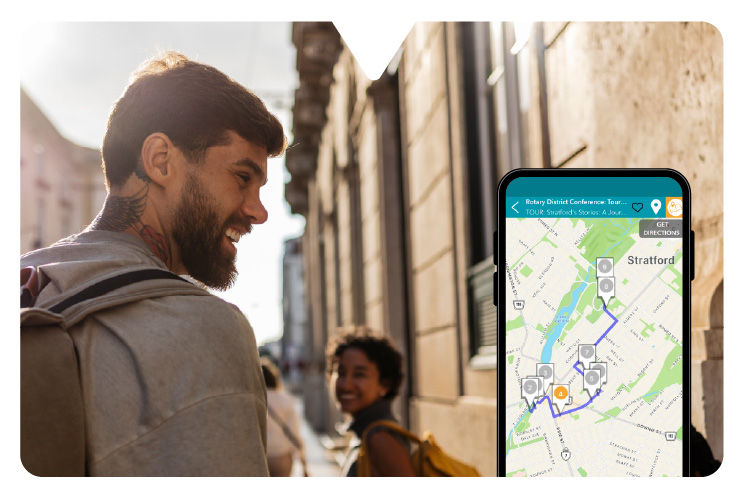
A self-guided tour is a structured, geographically anchored visitor experience delivered via a mobile browser or native app, allowing travelers to navigate a sequence of physical points of interest (POIs) at their own pace without an on-site guide. For Business Improvement Areas (BIAs), downtown chambers, and municipal economic development teams, it functions as a digital navigation system that turns scattered community assets into a walkable physical itinerary to drive and track local foot traffic.
When local resources are tight and a dedicated programming staff feels like a pipe dream, understanding how to transition from static print brochures to responsive digital trails is critical to maintaining visitor engagement.
Core Infrastructure: The Anatomy of a Sidewalk-Ready Tour
A common operational failure point is treating a digital tour like an elongated web listing. When a visitor is standing outside in an active, unfamiliar environment, their relationship with a screen changes. A functional self-guided tour requires a distinct hierarchy of real-world components:
1. The Geographic Anchor Route
A successful tour requires explicit, mapped coordinates that dictate a logical physical flow. Rather than an exhaustive directory, actionable routes are built around a curated sequence of stops that can be comfortably walked within a clear neighborhood footprint.
2. Multi-Layered Mobile Media
Because visitors must balance screen attention with their immediate surroundings, content delivery must be optimized for street-level constraints:
Scannable Text Layouts: Short, punchy paragraphs designed to be easily read under bright sunlight or direct glare.
Contextual Audio Narration: Short audio clips that allow users to keep their eyes on the architecture, monument, or historical facade rather than remaining glued to a screen.
Visual Verification Assets: Historical photographs, archival blueprints, or interior images that reveal details currently hidden from the sidewalk view.
The Sidewalk Audit: Deploying Routes That Actually Work
[ DESKTOP DESIGN ]
Route mapped perfectly on screen
│
▼
[ SIDEWALK AUDIT ]
Walk the route on foot to test real conditions
│
┌──────────────────────┼──────────────────────┐
▼ ▼ ▼
[ CELL SIGNAL ] [ SAFETY CHECK ] [ MERCHANT HOURS ]
Are there dead zones Are crosswalks safe or Are business windows
that freeze the app? is sidewalk blocked? mismatched/outdated?
│ │ │
└──────────────────────┼──────────────────────┘
▼
[ RUNTIME READY ]
Tour open to public launch
One practical lesson from working with tourism teams is that a route which looks perfect on a desktop map can fail completely on the street. If a physical point of interest has poor cellular connectivity, lacks a safe space for a group to stand out of the flow of traffic, or features businesses with mismatched seasonal hours, the visitor experience breaks down entirely. Always audit your route on foot before publishing.
When I review a route layout, I look for small points of friction that a desk-based design completely misses. For instance, if you are guiding families along a historic architecture path, you need to verify where they will physically stand. A stop located directly in front of an active construction site or an unshaded, narrow sidewalk will result in users abandoning the tour after the first two blocks.
To execute a self-guided trail without an in-house software team, organizations must divide implementation duties clearly between the core staff, business partners, and the final explorer.
Stakeholder Implementation Blueprint
Responsible Party | Street-Level Action | Operational Purpose |
Tourism Team / BIA Staff | Execute an on-foot sidewalk audit of every coordinate to verify active cellular reception and safety clearance. | Eliminates user onboarding frustration caused by dropped digital signals or hazardous pedestrian settings. |
Partner Merchants | Mount physical window decals or counter cards with scannable quick-access points directly at points of sale. | Bridges the digital experience to physical retail environments, explicitly guiding foot traffic inside. |
The Visitor | Scan an on-site asset or open a progressive web link to initialize immediate, location-aware routing. | Minimizes download barriers and delivers instant navigation without app store onboarding friction. |
Campaign Analysis: Quantifying Attention and Local Commerce
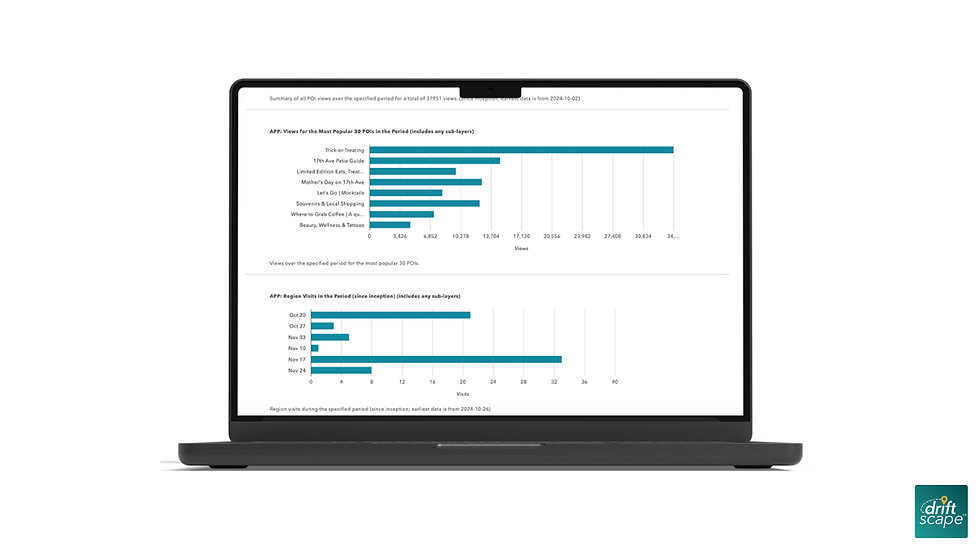
When built around distinct community themes or merchant incentives, self-guided digital routes yield reliable patterns of participation that can be verified through specific dashboard metrics.
1. Tracking Attention via Community Traditions
To turn unstructured neighborhood behavior into a measurable destination asset, teams can digitize existing regional traditions. The City of Thunder Bay utilized a seasonal model by creating a self-guided Haunted House Tour, mapping out local residential holiday displays into a unified digital trail.
The Action: Centralized scattered neighborhood locations into an interactive seasonal route map.
The Measured Outcome: The campaign tracked over 25,000 views, representing a 1,000% increase in digital engagement compared to their previous static PDF map baselines.
The Interpretation: Organizing unmapped community activities into an interactive mobile layout provides a scannable asset that significantly broadens destination visibility.
The Boundary: These metrics measure digital attention and route views; they do not verify direct merchant transactions or immediate retail sales data. You can review their community framework through the Tourism Industry Association of Canada resource indexes.
2. Capturing Economic Data via Digital Passports
When a tourism program requires definitive verification of business impact to satisfy municipal boards or council reporting, transitioning from print coupon booklets to gamified digital passports allows teams to capture hard economic metrics. Launceston Central launched their digital shopping passport to organize 49 independent downtown merchants into an incentivized, check-in-based visitor trail.
The Action: Shifted from traditional print promotions to a mobile passport using geo-located check-ins and digital merchant validation.
The Measured Outcome: The project tracked 1,189 digital check-ins and recorded $167,419 in verified local spending within the first three weeks of activation, maintaining a 23% business-interaction rate across 14,040 passport views.
The Interpretation: Coupling an explicit physical path with a digital incentive provides a clear motivation for visitors to cross merchant thresholds, turning passive screen views into traceable economic actions.
The Boundary: Replicating these exact spending outcomes depends heavily on intense local partner onboarding, clear staff training at point-of-sale terminals, and consistent regional marketing support. Read the complete data brief in the Launceston Central Digital Passport Case Study.
Pre-Launch Operational Checklist
Before publishing your self-guided tour to the public, use this street-level review framework to verify that your digital assets match physical realities:
[ ] Verify Real-World Placement: Confirm that trailhead signage, visitor centers, or cash registers are equipped with high-contrast print materials to capture visitor attention on-site.
[ ] Audit Audio Playback Conditions: Ensure no narrative audio track exceeds 3 minutes. Stand next to active main-street traffic with standard smartphone earbuds to confirm the voice track remains clearly audible over traffic noise.
[ ] Train Participating Merchant Staff: Conduct brief check-ins with participating shop owners to ensure front-line employees understand how the tour works, where codes are located, and how to answer basic visitor questions.
[ ] Establish Your Metric Baseline: Configure your analytical dashboard to separate broad views (attention metrics) from localized clicks or scans (intent metrics) and final check-ins (physical engagement proof).
Once your team has mapped out your local points of interest and completed your physical sidewalk audit, a digital platform can simplify the ongoing content management workload. Driftscape helps municipal teams, BIAs, and cultural attractions quickly deploy interactive, location-aware routes using a pre-built content management framework. To see how to organize your existing text and media assets into an active mobile trail, you can explore Driftscape's visitor experience features.
Frequently Asked Questions
Q: How do we handle low cellular connectivity along our tour route?
A: When constructing routes through rural trails, historic masonry districts, or remote parks, cellular dead zones will freeze dynamic mapping tools. Teams should select a platform that includes off-grid data caching, enabling visitors to download the full route map, spatial coordinates, and media layers while connected to high-speed Wi-Fi at a visitor center or hotel lobby before starting their journey.
Q: Who owns the ongoing content update workload when local businesses close or change hours?
A: Content drift is a primary driver of negative visitor reviews and broken trust. Logistically, the destination management organization or BIA manager maintains core administrative control of the dashboard. To keep the management loop low-lift, set a rigid bi-annual review schedule—ideally right before peak summer and winter tourism seasons—to audit partner business hours, refresh imagery, and remove inactive links.
Q: Do we need a dedicated graphic designer and audio engineer to launch a tour?
A: No. Modern tour management dashboards are built to ingest standard smartphone photography and basic MP3 audio files directly. Focus on functional clarity over expensive studio production: author short descriptions that are easy to scan on a phone screen, and record voice tracks using a standard headset microphone in a carpeted room to keep narration clear and conversational.
Start Planning Your Route!
Ready to replace your aging paper brochures, save valuable staff hours, and give visitors a modern way to explore your community? Take the next step by choosing your main campaign style—whether it's an economic development business trail, a seasonal festival passport, or a heritage path—and request an interactive platform demonstration with our team to see how easily you can manage your local content.
About the author: Andrew Applebaum is a digital tourism expert at Driftscape who helps destinations, BIAs, museums, and tourism teams create self-guided visitor experiences rooted in local stories. He writes about practical ways to improve visitor engagement, support local businesses, and make tourism initiatives easier to launch and manage.
View Andrew’s profile and connect on LinkedIn.


Comments